Author: Kkuretip

  • Install Ollama on an Old Laptop (Windows): Step by Step, Plus What Thinking Mode Costs on CPU

    Install Ollama on an Old Laptop (Windows): Step by Step, Plus What Thinking Mode Costs on CPU

    This guide installs Ollama on a 2020 gaming laptop running Windows 11 and gets a first local model answering questions, with a screenshot for every step. It also shows what actually happens on an older machine: the default “thinking” mode can take minutes per answer when the model runs on the CPU. Everything here was checked on November 23, 2026 with Ollama 0.40.17.

    Check your laptop first
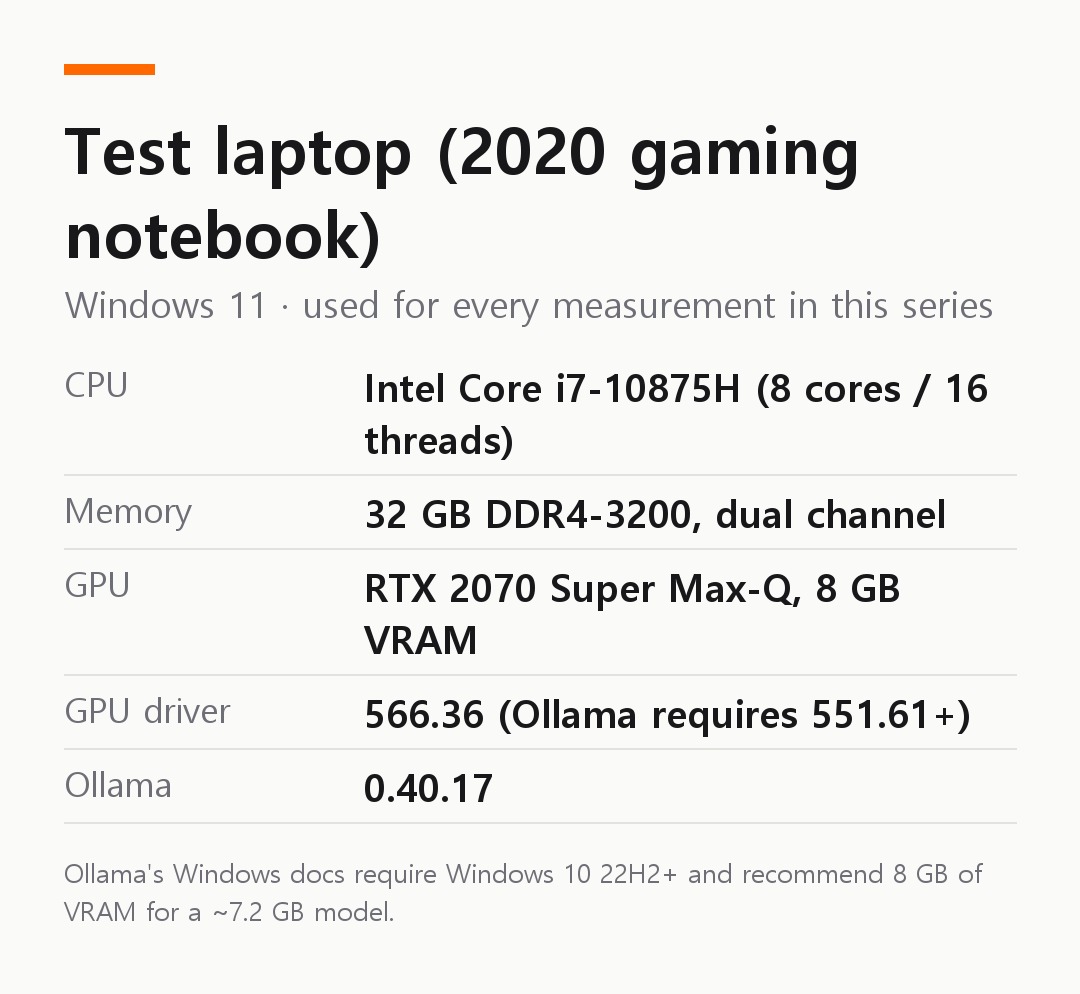
    Test laptop specs table
    The laptop used for every measurement in this series.

    On Windows 11, open Settings → System → About to see your CPU, installed RAM and graphics card with its memory. In Task Manager (Ctrl+Shift+Esc) → Performance → GPU, check dedicated GPU memory on the discrete GPU; shared GPU memory is borrowed system RAM, not VRAM.

    • Ollama’s Windows docs require Windows 10 22H2 or newer and, for NVIDIA cards, driver 551.61 or newer.
    • The install itself needs at least 4 GB; models take several GB each.
    • The quickstart recommends 8 GB of available VRAM for its ~7.2 GB example model; with less VRAM, Ollama falls back to system RAM and responses get slower.
    • No administrator rights are needed.

    Download Ollama from the official site
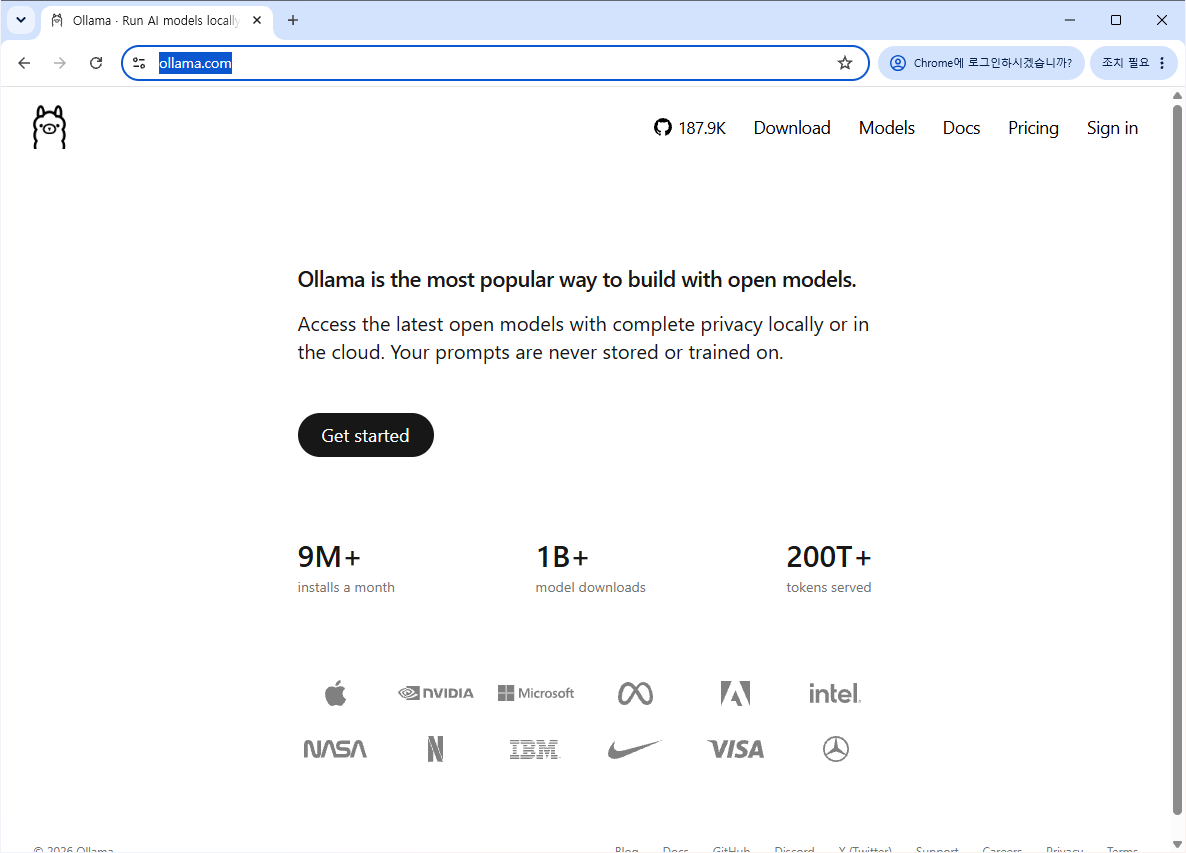
    Ollama official website home page
    Go to ollama.com and click Download.
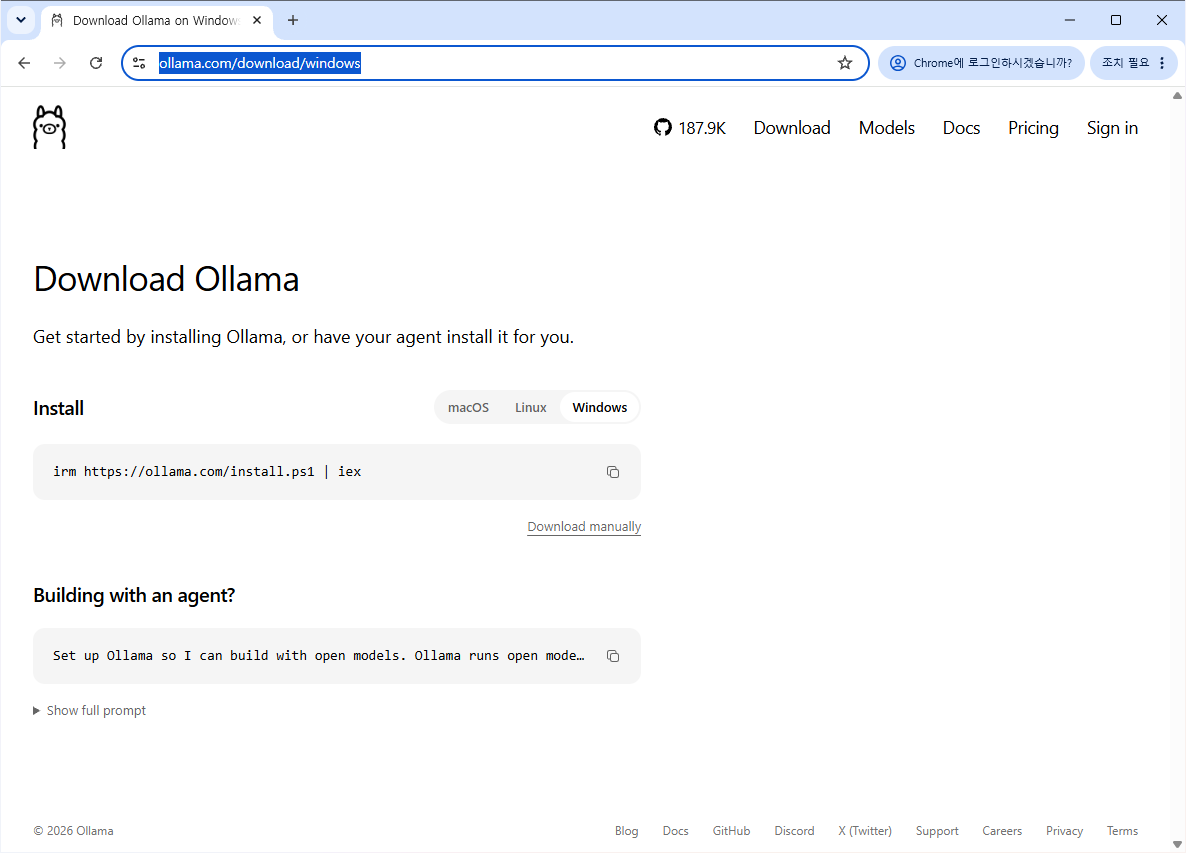
    Ollama download page with the Windows tab and Download manually link
    Pick the Windows tab, then click “Download manually”. The command in the grey box is an alternative PowerShell install.

    The “Download manually” link redirects to the latest GitHub release of OllamaSetup.exe (about 1.8 GB). The file downloaded this way had the same SHA-256 as the v0.40.17 GitHub release asset.

    Downloaded OllamaSetup file in File Explorer
    The installer in your Downloads folder.

    Install

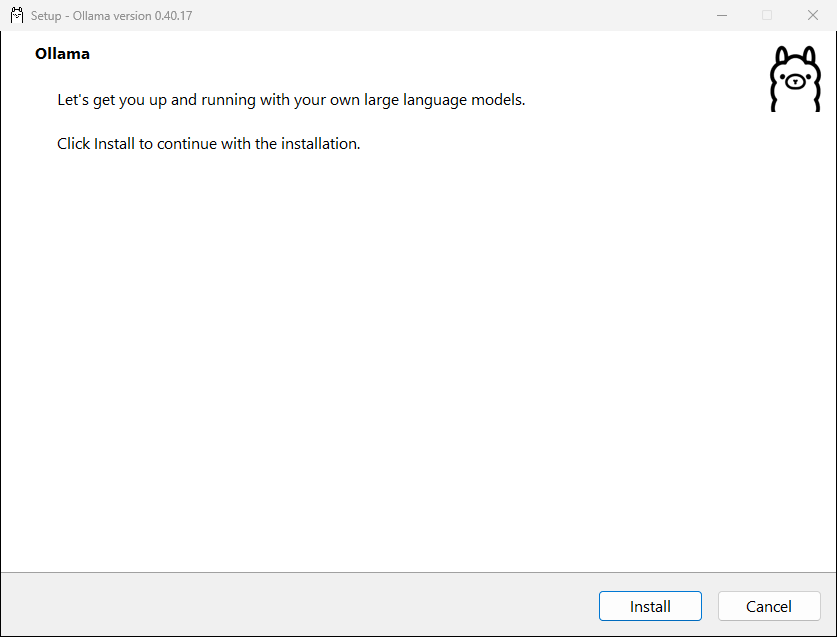
    Ollama installer welcome screen with the Install button
    Double-click OllamaSetup and press Install. There is no folder picker; it installs into your user profile.
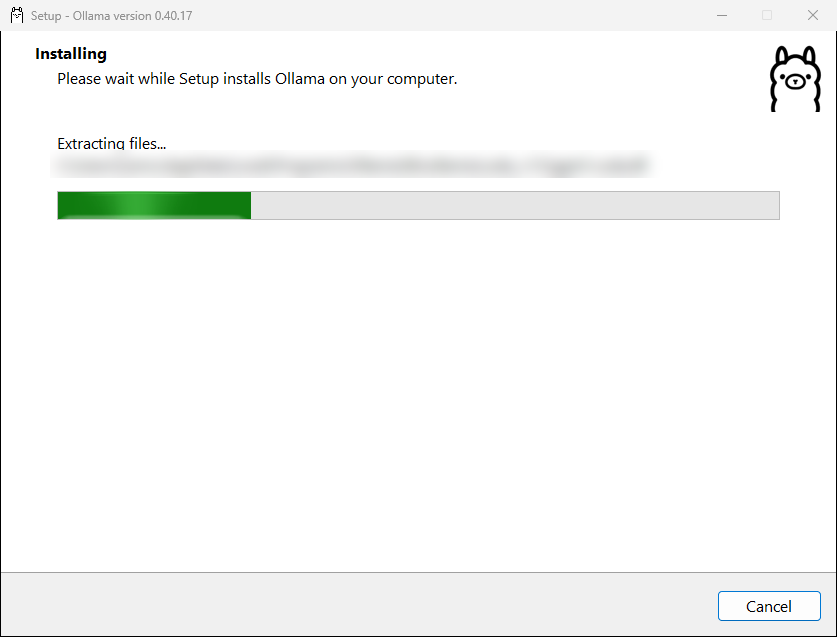
    Ollama installer progress screen
    Wait for the bar to finish (the path line is blurred).
    ItemPer the official Windows docs
    Program files%LOCALAPPDATA%\Programs\Ollama
    Modelsthe .ollama folder in your user profile (change with the OLLAMA_MODELS environment variable)
    Custom install folderrun the installer with /DIR=”d:\some\location”
    Networkthe API listens on 127.0.0.1:11434 by default

    First launch of the app

    The app opens to a welcome screen; click Continue. On the account screen, choose “No thanks, I’ll use Ollama locally” — an account is only needed for cloud models.
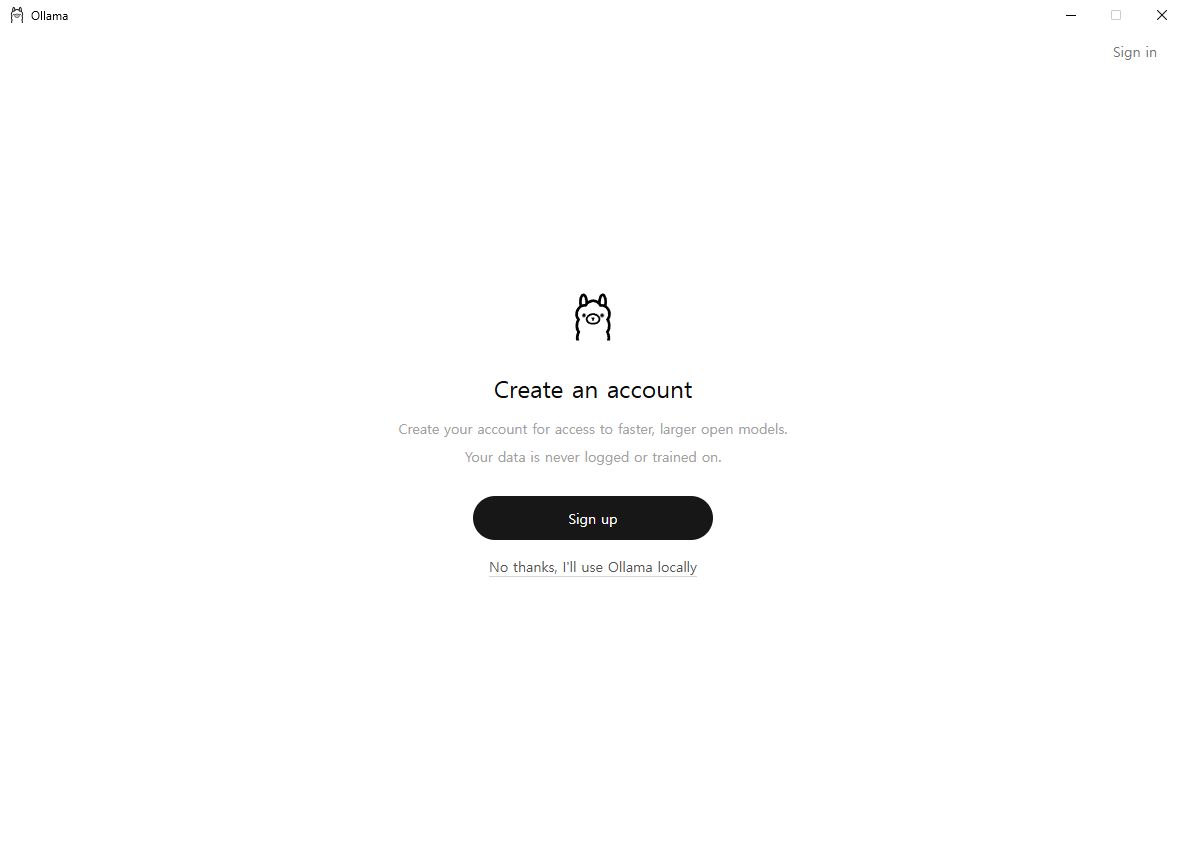
    Ollama app account screen with the use Ollama locally option
    Skip sign-up to stay fully local.
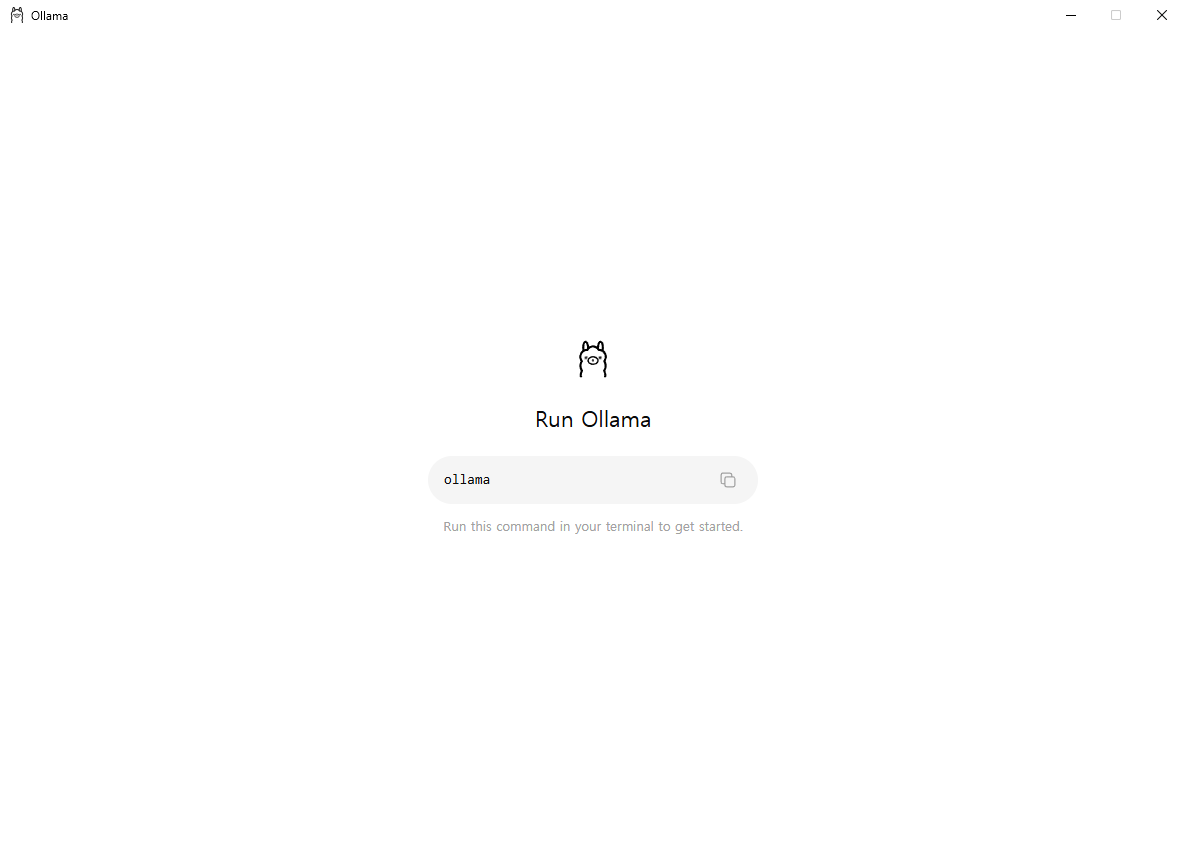
    Ollama app screen telling you to run ollama in a terminal
    In 0.40.17 the Windows app has no chat window; it points you to the terminal.

    Download a model and chat in Command Prompt

    Open a new Command Prompt (search “cmd” in the Start menu). A window opened before the install won’t find ollama yet, because the installer’s PATH change only applies to new windows.

    The installer adds Ollama to your user PATH, so it doesn’t matter which folder the window opens in. There’s no need to cd into the Ollama install folder; just type the command.

    ollama run qwen3.5:9b
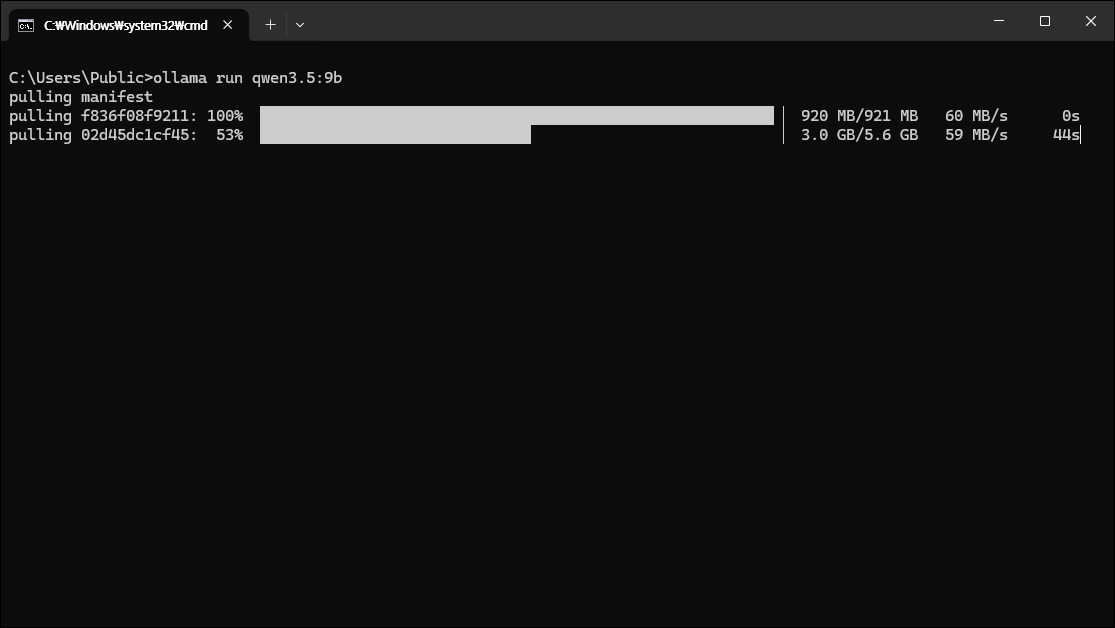
    ollama run qwen3.5:9b downloading the model in Command Prompt
    The first run downloads about 6.6 GB.
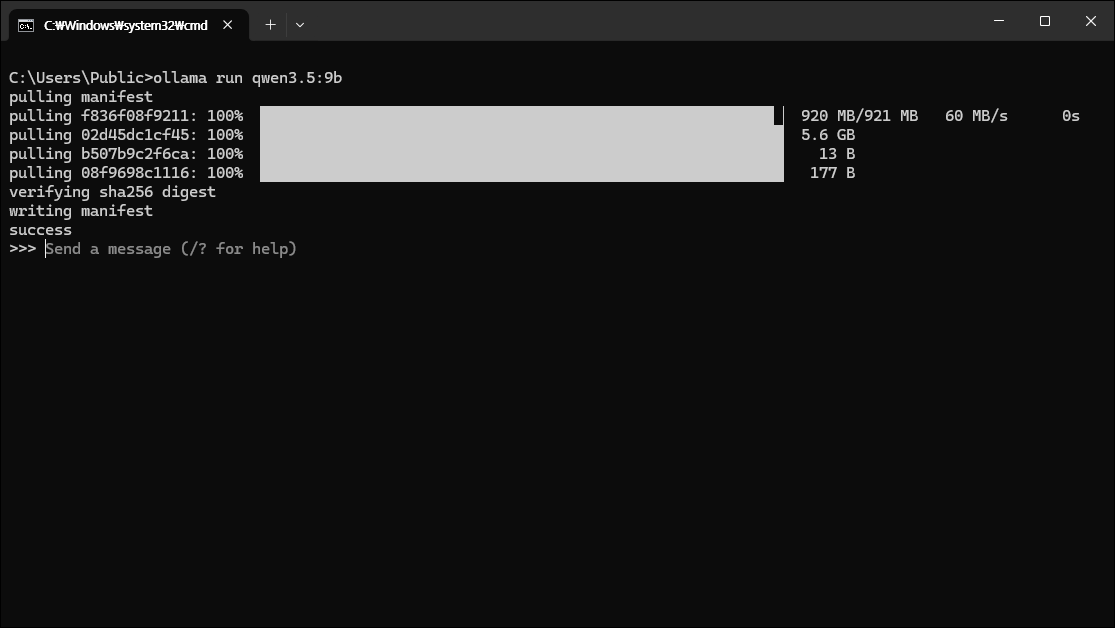
    Model download finished and the chat prompt ready
    When you see “success” and >>>, type a question. Type /bye to exit.

    Why it prints a wall of English first: thinking mode

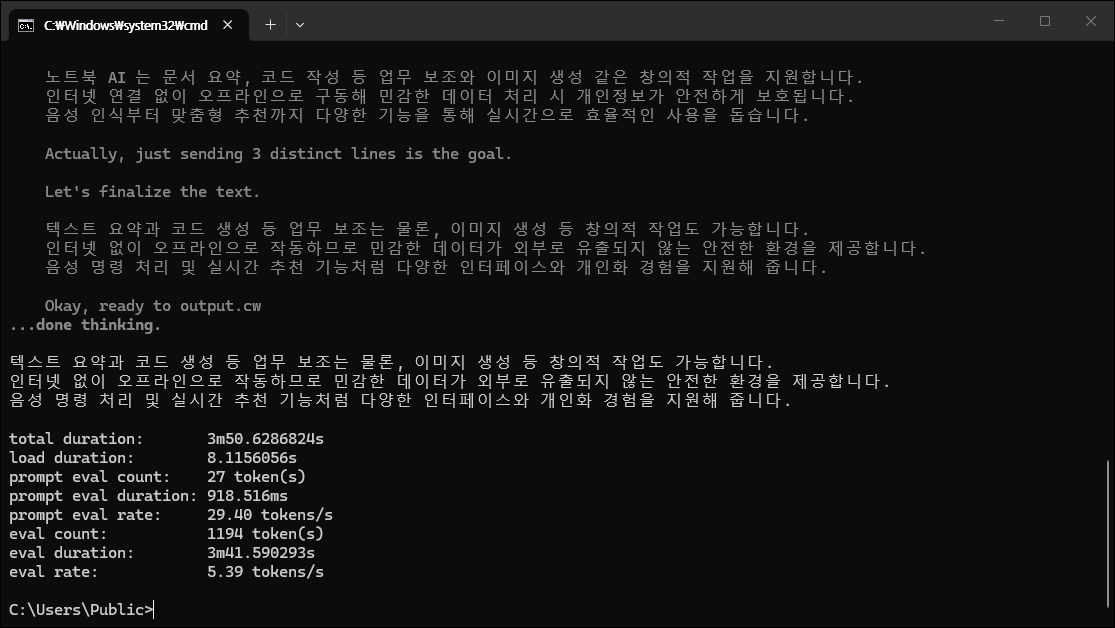
    Many current models reason before answering, and Ollama shows that reasoning under “Thinking…”. It isn’t an error. On this laptop, with the model running on the CPU, a three-line answer took 3 minutes 50 seconds with thinking on.
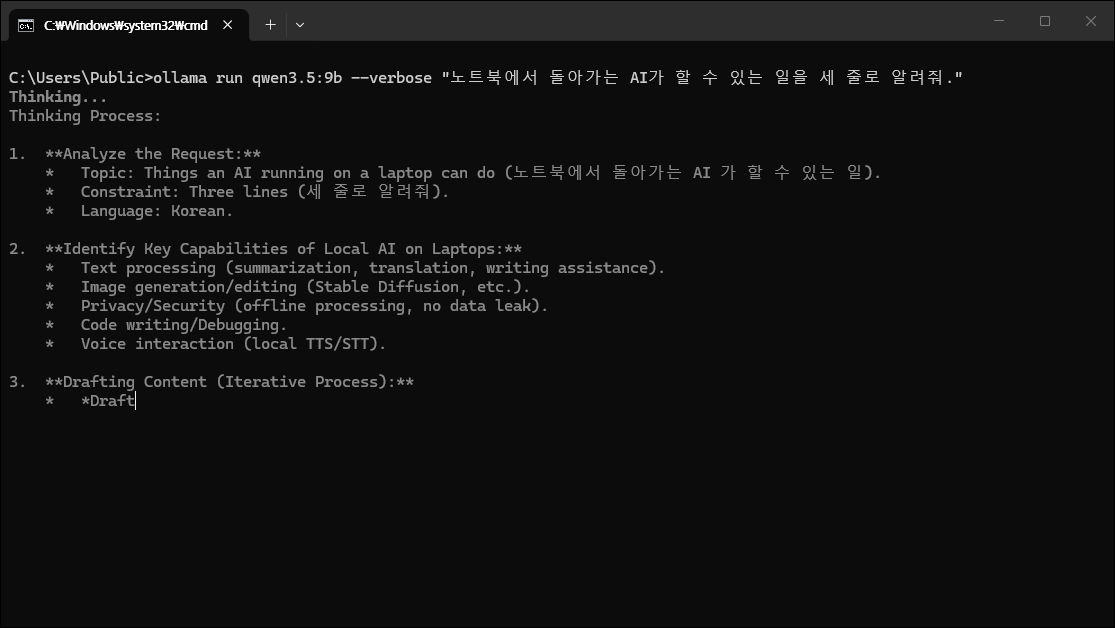
    Model printing its thinking process after a question
    Thinking starts right after the question.
    Answer after thinking, total duration 3 minutes 50 seconds
    “…done thinking.”, then the answer. Adding --verbose prints the timings.

    Add --think=false to skip it:

    ollama run qwen3.5:9b --think=false
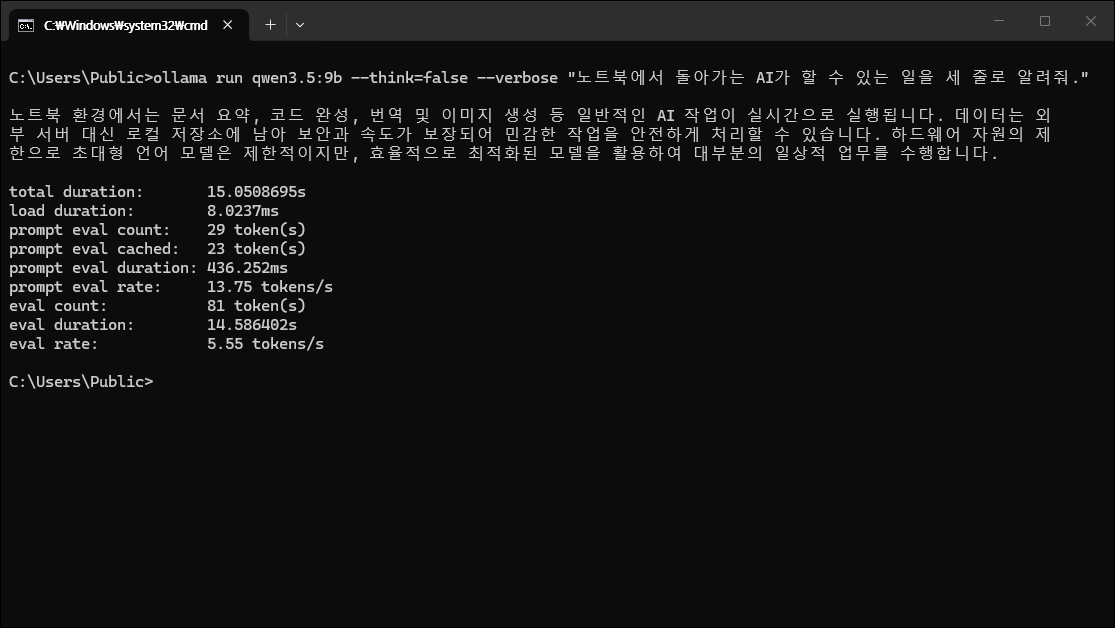
    Same question with think false, total duration 15 seconds
    Same question: 15 seconds.

    Generation speed was the same in both runs (about 5.4 tokens/s). With thinking on, the model generated 1,194 tokens; with it off, 81.

    Thinking on vs. off across four models (CPU only)
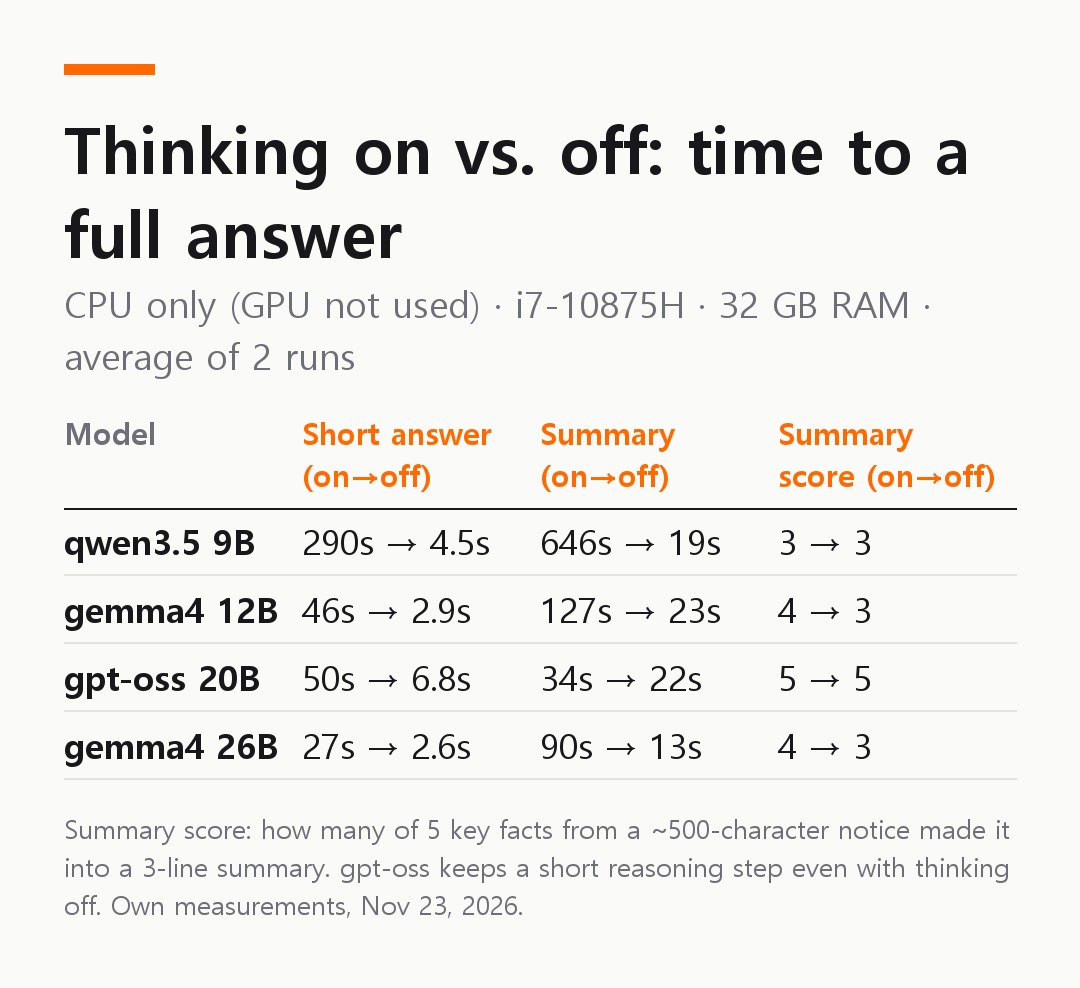
    Thinking on vs off timing table for four models
    Average of 2 runs per question; GPU not used.
    ModelShort answer (on → off)3-line summary (on → off)Summary score (on → off)
    qwen3.5 9B290s → 4.5s646s → 19s3 → 3
    gemma4 12B46s → 2.9s127s → 23s4 → 3
    gpt-oss 20B50s → 6.8s34s → 22s5 → 5
    gemma4 26B27s → 2.6s90s → 13s4 → 3
    Summary score = how many of 5 key facts from a ~500-character notice the model kept. Measured Nov 23, 2026, Ollama 0.40.17, i7-10875H, 32 GB RAM, temperature 0.
    • With thinking off, every model answered within 30 seconds.
    • Both gemma4 models lost one point of summary accuracy when thinking was off.
    • gpt-oss 20B kept a short reasoning step even with thinking off and scored 5/5 both ways.

    Why this laptop ran on the CPU at all

    Running ollama ps showed 100% CPU: Ollama never detected the RTX 2070. The cause turned out to be an outdated system Visual C++ runtime (MSVCP140.dll from 2018) that crashed Ollama’s GPU detection. The next post covers how to confirm this and fix it, and how much faster the same models run on the GPU afterwards.

    Sources: Ollama Windows docs, Ollama quickstart, Ollama FAQ.
  • Claude Code Token Savings Tested: RTK vs context-mode on Opus 5.5, Fable 5.2 and Sonnet

    Claude Code Token Savings Tested: RTK vs context-mode on Opus 5.5, Fable 5.2 and Sonnet

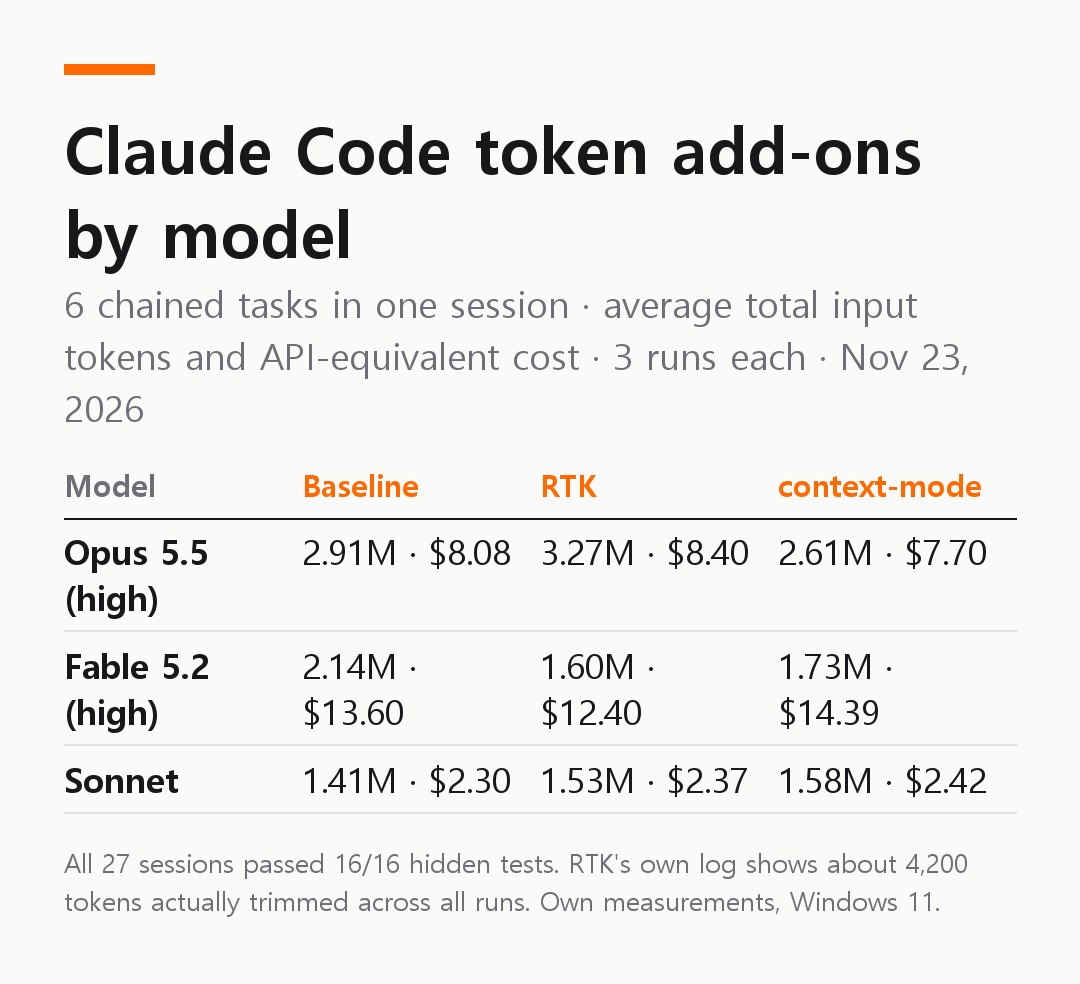
    RTK and context-mode are two widely discussed add-ons for cutting Claude Code token usage. This benchmark ran the same multi-task coding session with no add-on (baseline), with RTK, and with context-mode on three models: Opus 5.5 and Fable 5.2 at high effort, plus Sonnet. That is 27 sessions in total, all measured on November 23, 2026.

    Result: neither add-on produced a consistent reduction across the three models. Which add-on used less flipped from model to model, and the differences were smaller than the run-to-run spread of the baseline itself. Output quality was identical in all 27 sessions.

    Test setup

    ItemDetails
    EnvironmentWindows 11, Claude Code 2.1.330, headless mode
    ModelsOpus 5.5 (high), Fable 5.2 (high), Sonnet
    RTK1.2.1 open-source edition (Apache-2.0), official release, checksum verified, project-scoped hook
    context-mode2.2.2 (Elastic License 2.0), project-scoped plugin
    Workload6 chained tasks in one conversation: build 3 features from a spec, add an order module, write a data report, summarize a 3MB log, refactor, write a README
    Repetitions3 runs per model and condition, run order rotated each round
    MetricsTotal input tokens (input + cache write + cache read), API-equivalent cost, turns
    Quality check16 hidden tests Claude could not see, 4 deliverables, a log-summary answer key

    Results by model

    ModelConditionTotal input tokensCost (API-equivalent)Turns
    Opus 5.5Baseline2.91M$8.0851
    Opus 5.5RTK3.27M$8.4058
    Opus 5.5context-mode2.61M$7.7058
    Fable 5.2Baseline2.14M$13.6050
    Fable 5.2RTK1.60M$12.4036
    Fable 5.2context-mode1.73M$14.3949
    SonnetBaseline1.41M$2.3024
    SonnetRTK1.53M$2.3734
    Sonnetcontext-mode1.58M$2.4243
    Averages of 3 sessions each. All 27 sessions passed 16/16 hidden tests.

    Run-to-run spread

    ModelBaselineRTKcontext-mode
    Opus 5.52.41M–3.62M2.46M–3.86M2.44M–2.76M
    Fable 5.21.52M–2.64M1.48M–1.84M1.61M–1.87M
    Sonnet1.30M–1.56M1.33M–1.69M1.35M–1.97M
    Min–max total input tokens across 3 runs. The ranges overlap, so 3-run averages can’t separate the tools.

    How to read these numbers

    • Fable + RTK (−25% tokens) is not an RTK effect. Cost fell only 9%, and RTK’s own rtk gain log shows about 4,200 tokens trimmed across every run combined, far less than the 540K gap. That condition also averaged 36 turns versus 50 for baseline, and one baseline run alone dropped to 1.52M.
    • Fewer tokens can still cost more. Fable with context-mode used 19% fewer total tokens but cost 6% more. Total tokens are dominated by cheap cache reads, so a shift toward cache writes or output/reasoning tokens can raise the bill.
    • RTK barely engaged by design. It filters shell command output; Claude Code read and searched files with its built-in Read, Grep and Glob tools, and python -m unittest output isn’t an RTK filter target. That reflects this workload, not a defect in RTK.
    • The biggest lever here was the model. At identical 16/16 quality, a session cost $2.30 on Sonnet, $8.08 on Opus and $13.60 on Fable, a much larger gap than the roughly ±10% between add-ons. This holds for a mid-difficulty, test-verified workload.

    Short single tasks (Sonnet)

    TaskBaselineRTKcontext-mode
    Summarize 4 files (2 runs)170K169K393K
    Count errors in a 3MB log (2)242K242K273K
    Fix 6 bugs (3)221K242K222K
    Build 3 features (3)368K320K393K
    The 4-file task has tiny outputs, so context-mode’s fixed overhead dominates; it targets outputs over 10KB.

    An independent benchmark points the same way: Quesma ran 1,740 Terminal-Bench 2.1 attempts in September 2026 and found RTK lowered Claude Code (Fable 5.0) total cost by 5% but raised the per-task average by 1%, with no clear difference from zero. Read the Quesma report.

    Built-in controls documented by Anthropic

    Not benchmarked here; listed from the official cost documentation.

    • /model and /effort: lighter models or lower effort for simple work.
    • /context to see what fills the window; /mcp to disable unused servers.
    • /usage recommendations; press f when the footer shows “f to fix” (v2.1.305+).
    • MCP tool definitions load on demand by default (ENABLE_TOOL_SEARCH).
    • Hooks to trim long test/log output (the docs’ example keeps the last 100 lines).
    • Keep CLAUDE.md under ~200 lines; use # Compact instructions.
    • Agent teams use about 7x the tokens in plan mode; keep teammates on Sonnet and teams small.

    Source: Claude Code docs, Manage costs effectively.

    Limitations

    • Three runs per model and condition show direction, not statistical significance.
    • One Windows 11 machine and RTK’s open-source edition; macOS, Linux or RTK’s commercial build may differ.
    • Sessions ran about 1.5M–3.9M tokens. Multi-hour sessions on large repositories with huge build logs, where these tools aim to help, were not tested.
    • Costs are API-equivalent figures from the usage output, not subscription allowance consumption.
  • Path of Exile 2 1.0 Release Date (Dec 11), Free-to-Play Switch and PC Requirements

    Path of Exile 2 1.0 Release Date (Dec 11), Free-to-Play Switch and PC Requirements

    Path of Exile 2 leaves Early Access with its 1.0 release on December 11, 2026 (PST), and becomes fully free-to-play. In South Korea, where Kakao Games operates the service, the switch happens on Saturday, December 12. Here is what is officially confirmed as of November 23, 2026.

    Release date, price and platforms

    ItemDetailsSource
    Global releaseDecember 11 (PST)Grinding Gear Games, Aug 26, 2026
    Korea releaseDecember 12 (Kakao Games)Kakao Games, Nov 7, 2026
    PriceFree-to-play from 1.0GGG and Kakao Games
    Pre-registration rewardsSteam, Epic, PlayStation, XboxGGG pre-registration FAQ, Aug 27, 2026
    Exact server launch timeNot announced yet–

    What 1.0 adds

    • Acts 5 and 6, completing the campaign
    • Two new classes: the Shadow and the Duelist (the Duelist was revealed at gamescom Opening Night Live)
    • A new challenge league, Conquerors of Wraeclast, built around sieges
    • New endgame story content

    Early Access supporter packs are being retired and replaced by five new packs, according to GGG’s October 23 announcement. Kakao Games announced its own 1.0 supporter packs on November 14.

    PC system requirements

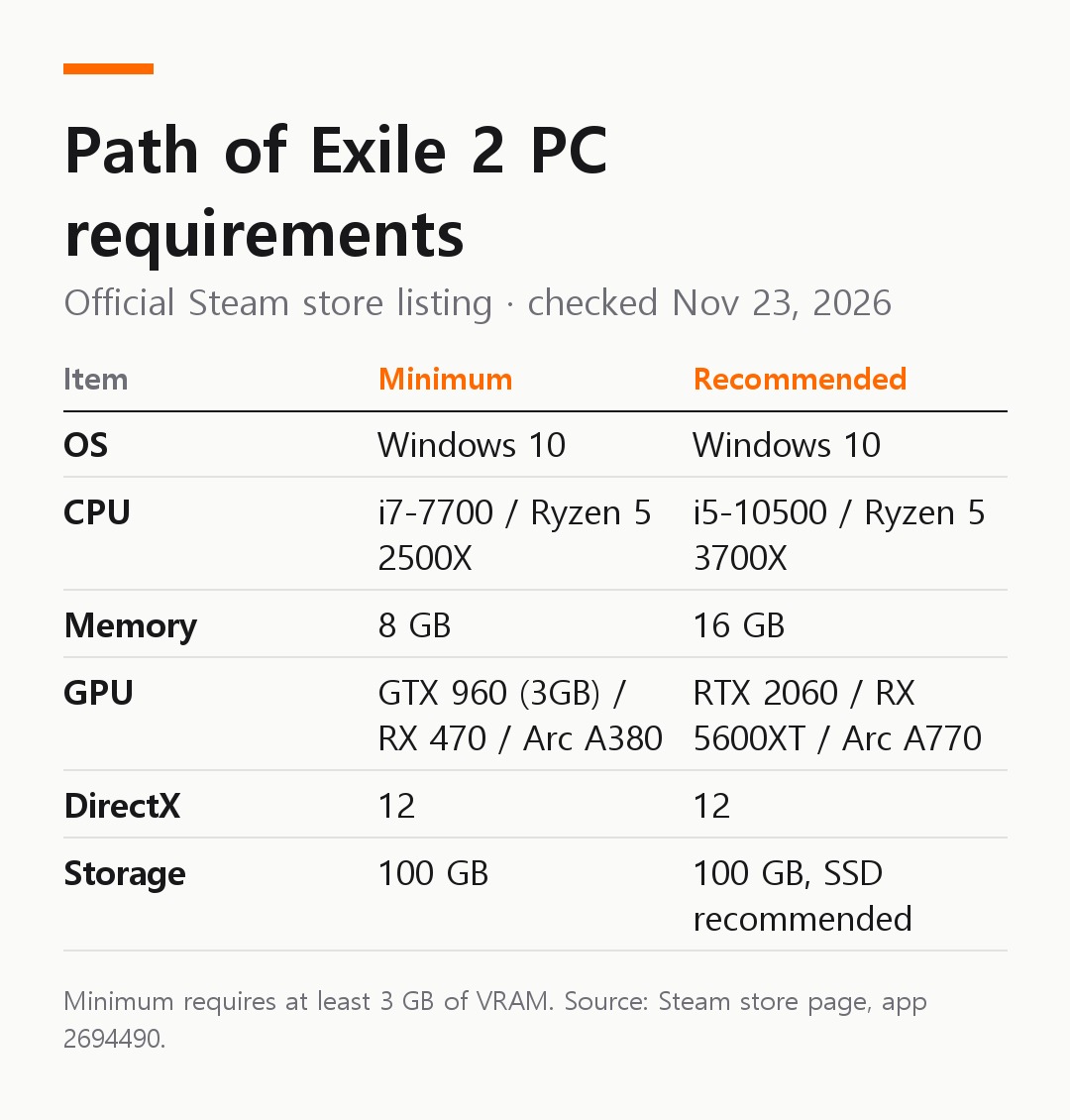
    Path of Exile 2 minimum and recommended PC requirements table
    Minimum vs. recommended specs from the official Steam listing.
    ItemMinimumRecommended
    OSWindows 10Windows 10
    CPUi7-7700 / Ryzen 5 2500Xi5-10500 / Ryzen 5 3700X
    Memory8 GB16 GB
    GPUGTX 960 (3GB) / Arc A380 / RX 470RTX 2060 / Arc A770 / RX 5600XT
    Storage100 GB100 GB, SSD recommended
    Steam store page, app 2694490. Minimum requires at least 3 GB of VRAM.

    Steam lists full controller support, and GGG announced Steam Deck Verified status on September 24, 2026.

    Not announced yet

    • What happens to Early Access characters at 1.0
    • Cross-play between PC and consoles
    • The exact launch hour

    Sources: GGG: Path of Exile 2 fully releases on December 11, Steam store page.

  • Nano Banana 2.1: What Changed, Korean Text Test, Limits and Watermarks

    Nano Banana 2.1: What Changed, Korean Text Test, Limits and Watermarks

    Nano Banana 2.1 is Google’s updated image generation and editing model, focused on sharper text inside images and more faithful edits. This guide covers what changed according to Google’s own documentation, where you can use it, usage limits and watermark rules, and a hands-on test of Korean (Hangul) text rendering in the Gemini app. Checked on November 23, 2026.

    What changed in Nano Banana 2.1

    Google DeepMind’s model card, published October 6, 2026, says Nano Banana 2.1 is based on Gemini 3.6 Flash and lists Google’s internal Elo scores against Nano Banana 2:

    EvaluationNano Banana 2Nano Banana 2.1 (Thinking)
    Infographic design9611048
    General editing9381026
    Mask/ink-based editing9651049
    Multi-character consistency9781106
    Google’s own evaluation, results as of October 2026. No independent comparison was found.
    • Resolution: 1K (default), 2K and 4K, per the Gemini API docs.
    • References: up to 14 reference images, keeping up to 4 people and 10 objects consistent.
    • Wide formats: tiling seams at 1:4, 4:1, 1:8 and 8:1 in 2K/4K were fixed.
    • Known limits (model card): small text can blur at 1K, and long paragraphs or page-length text remain weak. Korean is not specifically evaluated.

    Where you can use it

    • Gemini app: Google’s overview page says 2.1 is available on Google AI plans; free users get Nano Banana 2.
    • Google Pics in Docs and Slides: rolling out from November 16, 2026 to Workspace Business/Enterprise and Google AI Plus, Pro and Ultra, per the Workspace Updates blog.
    • Gemini API and AI Studio: model ID gemini-nano-banana-2.1.

    Hands-on: Korean text poster and a one-line edit

    In the Gemini app on a Google AI Pro account, a vertical cafe poster was requested with a large Korean title and two smaller Korean lines (a date and a coffee offer). All three lines came out with correct Hangul spelling, including the smaller text.

    Same poster with only the bottom line edited (AI-generated)
    Follow-up edit: only the bottom line was changed to a latte discount; the illustration and other text stayed the same. AI-generated image.

    A follow-up message asked to change only the bottom line. The rest of the image and text stayed identical, and only that line changed. One caveat: the app labeled the tool as “Nano Banana 2” and did not show which version produced the result, so these images cannot be confirmed as 2.1 output. The images were 687×1024 pixels via the app’s copy button; the desktop app’s original-size download did not save a file in this test.

    Usage limits and watermarks

    • Gemini app limits are compute-based rather than a fixed number of images per day: Plus is 2x standard, Pro 4x, and Ultra 5x or 20x Pro, according to Google’s limits page. Media generation uses more of your allowance.
    • A visible watermark is added by default. In South Korea, Vietnam and India, only AI Ultra subscribers can turn it off (Settings > Media watermark).
    • The invisible SynthID watermark remains on every plan.

    Source: Gemini Apps limits & feature availability.

    Can you use the images on a blog or commercially?

    Google’s Terms of Service (effective July 30, 2026) state that Google won’t claim ownership over original content you generate. The Generative AI Prohibited Use Policy, however, bans presenting AI content as solely human-made in order to deceive, and impersonating real people without disclosure. Labeling images as AI-generated keeps you on the safe side.

  • Seoul Climate Card for Tourists (2026): Short-Term Pass Prices, Where to Buy and What It Covers

    Seoul Climate Card for Tourists (2026): Short-Term Pass Prices, Where to Buy and What It Covers

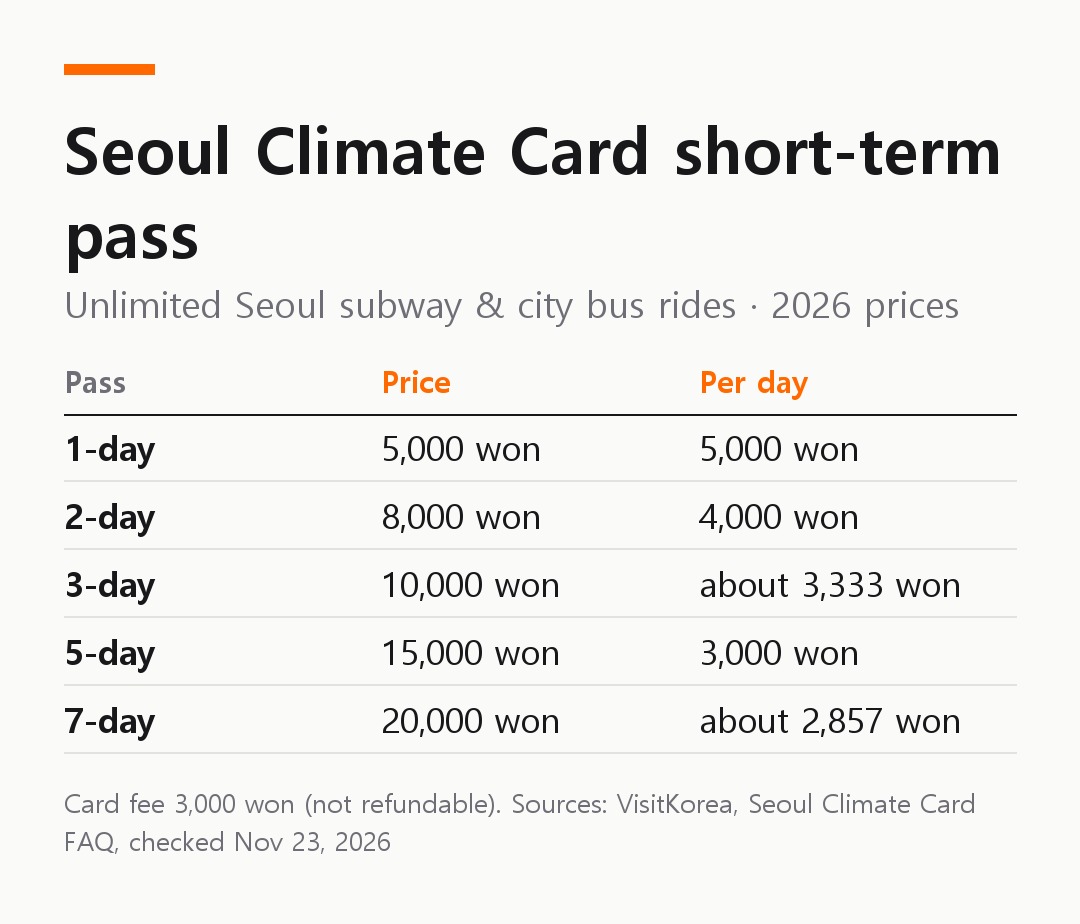
    Seoul’s Climate Card (기후동행카드) short-term pass gives you unlimited rides on Seoul subways and Seoul city buses for 1, 2, 3, 5 or 7 days, from 5,000 won to 20,000 won. The 30-day pass ended on October 1, 2026, but the short-term passes for visitors are still sold, and no end date has been announced. This guide is based on the Seoul Metropolitan Government’s Climate Card FAQ and the Korea Tourism Organization’s English guide, checked on November 23, 2026.

    Climate Card short-term pass prices (2026)

    PassPrice (KRW)Cost per day
    1-day5,0005,000
    2-day8,0004,000
    3-day10,000about 3,333
    5-day15,0003,000
    7-day20,000about 2,857
    Source: Korea Tourism Organization (VisitKorea English guide, updated August 2026) and Seoul’s Climate Card FAQ.

    The physical card itself costs an extra 3,000 won, and this card fee is not refundable. You load a pass onto the card, so you can keep reusing the same card on later trips.

    Is it worth it? Break-even rides per day

    The standard adult subway fare with a transit card has been 1,550 won since June 28, 2025, according to Seoul’s fare announcement as reported by Korean media. Using that base fare alone, a 1-day pass pays off at about 4 rides a day, a 3-day pass at about 3 rides a day, and a 7-day pass at about 2 rides a day. With a regular T-money card, transfers within the time limit are already free and longer trips cost more, so compare against the trips you actually plan.

    Where to buy it and how to pay

    • Customer service centers at subway stations (Lines 1–8 centers take cash only)
    • New-type card vending machines at Lines 1–8 stations: since March 17, 2026 they accept credit and debit cards issued abroad
    • Convenience stores near stations (GS25, CU, 7-Eleven, emart24)
    • Seoul Tourism Plaza and the Myeongdong Tourist Information Center

    Apple Pay is not accepted for buying or charging. A sales point inside Incheon Airport is not listed on the official pages, so plan to buy it in the city or check at the airport information desk.

    How charging and the validity period work

    You charge the pass at station charging machines or kiosks. You cannot charge it in advance for a later date: the day you charge it is day one. The pass counts calendar days, not 24-hour periods, so charging a 1-day pass in the evening gives you only the rest of that day. On the last day you can still ride late-night buses, and if you charge between midnight and 4 a.m., it starts from the first train of that morning.

    What’s included and what’s not

    IncludedNot included
    Seoul subway linesShinbundang Line, GTX
    Getting off at Incheon Airport T1 and T2 stations (AREX)Ttareungyi bike share, Han River Bus
    Seoul-licensed city and village buses, including late-night busesTaxis
    Unlimited transfers, no distance-based extra fareAreas outside Seoul such as Gimpo, Goyang, Gwacheon, Guri, Seongnam, Hanam and Namyangju
    Source: Seoul Climate Card FAQ (questions 25, 45, 57, 95).

    If you ride the subway to a station outside Seoul, the station staff collect an extra fare when you exit. For example, the FAQ cites 1,950 won for Seoul Station to Bupyeong Market Station. The official pages confirm getting off at Incheon Airport stations, but they do not say whether boarding at the airport toward Seoul is covered, so ask at the station before you rely on it. Red express buses and Gyeonggi or Incheon buses are not Seoul-licensed buses and are not listed as covered.

    Refunds for the short-term pass

    Refunds are possible only before the pass expires and must be requested on the T-money Card&Pay website after registering the card. The refund is the charged amount minus what you used, minus a 500-won fee, and it goes to a Korean bank account in your name. If you have no Korean bank account, the tourism guide says you have to visit T-money’s office, and it recommends using up the balance before you leave. The 3,000-won card fee is not refunded. If you bought the wrong pass type, the FAQ allows a change request within 15 days for a physical card.

    Can tourists use the mobile Climate Card?

    The mobile version runs on the Mobile T-money app on Android, but it needs Korean identity verification and a bank account in your name. For most short-term visitors, the physical card is the practical choice. The official pages do not describe an iPhone version.

    Official sources

    Checked on November 23, 2026. Prices, coverage and refund rules can change; confirm at a station customer service center before buying.